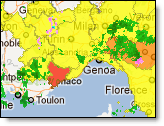
MeteoAlarm bulletins issued for both today and tomorrow can be viewed as layers.
|
|
The MeteoAlarms can be viewed by selecting the MeteoAlarm layer from within the Weather Layers menu.
A summary of alerts in effect for a region can be viewed by hovering over the region of interest.
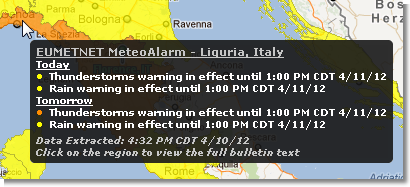
The summary will list all issued bulletins for the region if any of the three bulletin layers are turned on. Each alert currently in effect is listed and color coded by type of alert and awareness level.
|
Awareness Level |
Description |
|
Very Dangerous |
The weather is very dangerous. Exceptionally intense meteorological phenomena have been forecast. Major damage and accidents are likely, in many cases with threat to life and limb, over a wide area. Keep frequently informed about detailed expected meteorological conditions and risks. Follow orders and any advice given by your authorities under all circumstances, be prepared for extraordinary measures. |
|
Dangerous |
The weather is dangerous. Unusual meteorological phenomena have been forecast. Damage and casualties are likely to happen. Be very vigilant and keep regularly informed about the detailed expected meteorological conditions. Be aware of the risks that might be unavoidable. Follow any advice given by your authorities. |
|
Potentially Dangerous |
The weather is potentially dangerous. The weather phenomena that have been forecast are not unusual, but be attentive if you intend to practice activities exposed to meteorological risks. Keep informed about the expected meteorological conditions and do not take any avoidable risk. |
The full text of the alarm(s) in effect for a region can be viewed by clicking the region of interest while the bulletin layer is turned on. The full text provided will be listed in order of severity with the most severe alarm at the top.
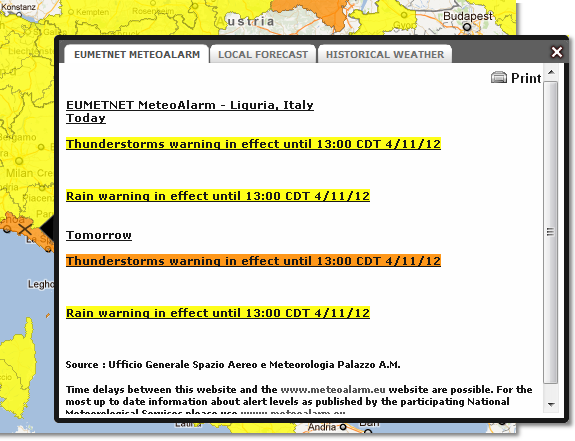
Note: Text may be printed from this window.
Enable any, or all, of the three EUMETNET MeteoAlarm layers (very dangerous, dangerous and/or potentially dangerous) to view issued bulletins.
|
Alert Types |
||
|
Wind |
Extreme High Temperature |
Forestfire |
|
Snow/Ice |
Extreme Low Temperature |
Avalanches |
|
Thunderstorms |
Coastal Event |
Rain |
|
Fog |
|
|
To view preferences hover over the small arrow next to MeteoAlarm in the Layer Settings menu.
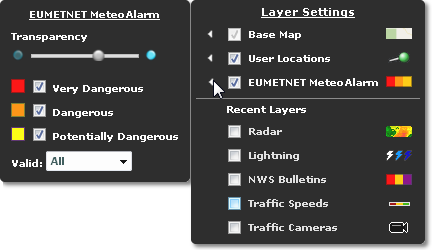
Select any or all of the bulletin types to be displayed on the map. The transparency can also be determined here.
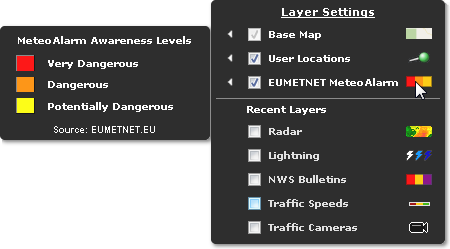
To view the MeteoAlarm legend, hover over the symbol. MeteoAlarm data is provided by EUMETNET.