RoadCast
You must first create locations at the RoadCast
Select the Settings Menu.
In the Locations screen click New.
In the RoadCast
® tab select your location. Save.
RoadCast
RoadCast
|
Note: RoadCas
|
Your RoadCast
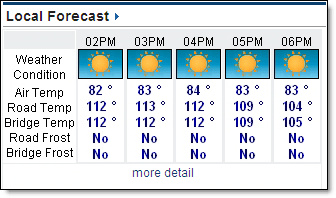
Select the Local Forecast Menu option.
Click the Hourly submenu option.
Select a RoadCast
|
Note: The RoadCast 24Hr Snow Accumulation
|
If road conditions warrant action within the next 24 hour period, an orange snowplow will appear in the Treatment Recommendation row. Click the icon to view the recommendations.
If you have set up multiple treatment plans, select another Treatment Plan from the drop down menu to view those recommendations.
RoadCast
Note: Blowing Snow Potential refers to observed and forecast surface snow which may cause pavement hazards. Snow which is currently falling is not taken into consideration in the Blowing Snow Potential forecast.
Select the Graphs submenu to view the data in a graph format.
|
|
RoadCast You must first create locations at the RoadCast
|

 MxVision WeatherSentry Online