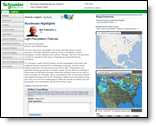
Interact with the Schneider Electric weather team via the Briefing page. The Briefing page includes:
|
|
If selected, the Canadian region will not include the weather blogs.
MxVision WeatherSentry Online
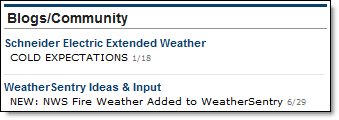
Select one of the listings from the Blogs/Community. Both Standard and Pro users are able to post comments to the interactive community blogs. Blogs are included in the Briefing page only when a US region is loaded.
The online consulting section (available to Pro users) is used to ask for consultation with our meteorologists on current weather conditions.
If selected, the Canadian region will not include the Forecast Highlights.
Forecast highlights are available for the seven US regions (11 regions in the Energy Edition). The location most recently viewed in your Dashboard will determine which region is loaded. If a Canadian location was last viewed in your Dashboard the Canadian region will load, however this region does not include blogs, forecast highlights or graphics.

Highlights are updated twice daily, early morning and mid-morning.
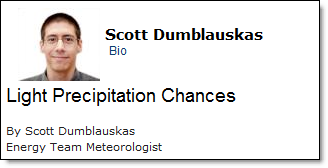
These exclusive discussions are tailored to your region of the country. Written by our meteorologists, they provide an overview of current weather that is of concern to you and your operation. To learn more about the meteorologist on duty click the Bio link.
Available only to Pro users of MxVision
WeatherSentry Online
|
Customer Service The forum is available for asking questions of a meteorologist. If you have product questions or issues, please contact customer service for assistance. Send email from within the knowledgebase, available via the Customer Service link, or call 800.655.8111.
|
Pro users are able to ask a meteorlogical question and receive timely answers from our meteorologists. A response can be expected in approximately 15 minutes.
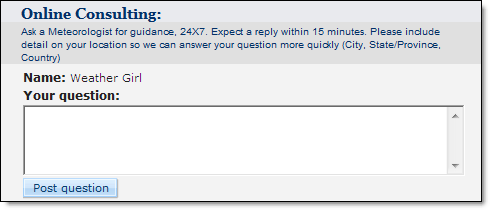
As a Pro user, you can view the comments and questions of industry peers in your region of the country and benefit from the answers our professional meteorologists provide. The forum automatically refreshes every five minutes. If you would like to use an alias while communicating via our Online Consulting, one can be created in the Account screen.

One past briefing highlight and its associated forum is retained on the Briefing page. Your forum question is attached to the highlight. As the highlight ages and is replaced your question is also removed.
If selected, the Canadian region will not include the following graphics.
In addition to the text forecasts and discussions, graphics of current and forecast conditions are provided.
Your location last loaded in the Dashboard will determine the area displayed in the local radar frame. Click over the radar graphic to load the Weather Viewer for that area. Navigating to the Weather Viewer from the Briefing page in this manner replaces the geographic location previously loaded in the Weather Viewer. All other information such as selected layers, animation state, etc. will remain as it was last viewed. In the Weather Viewer you may zoom in/out, pan, add/remove layers, and animate data.
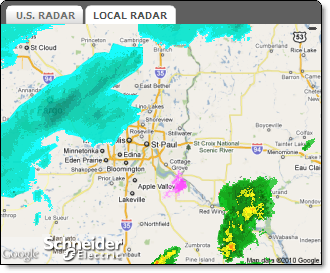
Specific graphics presented will vary by industry and season.
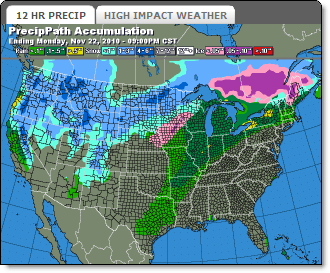
Switch between the graphics using the tabs. The actual graphic or layered map may be reached by clicking over the image.
Note: The left tab on both the radar graphic and forecast graphic is the default. Each time the Briefing page is refreshed the graphics will return to their default tab.
The Local Forecast graphic includes the next five hours and the next five days of forecast data.
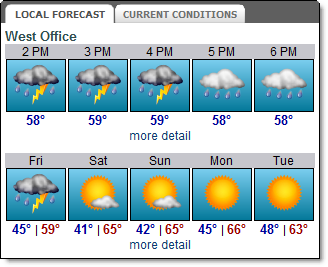
Access the complete Hourly or 15 Day Forecast by clicking the appropriate More Detail link. This data can also be reached by clicking over a location in the Weather Viewer.
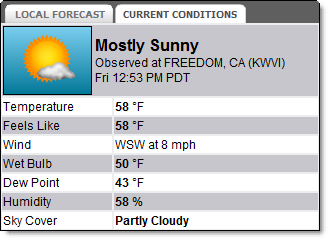
The Current Conditions graphic displays the current weather conditions provided by the nearest official reporting site. Specific data presented will vary by industry.
Note: The Local Forecast is the default of this graphic pair. Each time the Briefing page is refreshed the graphic will return to the default tab.
